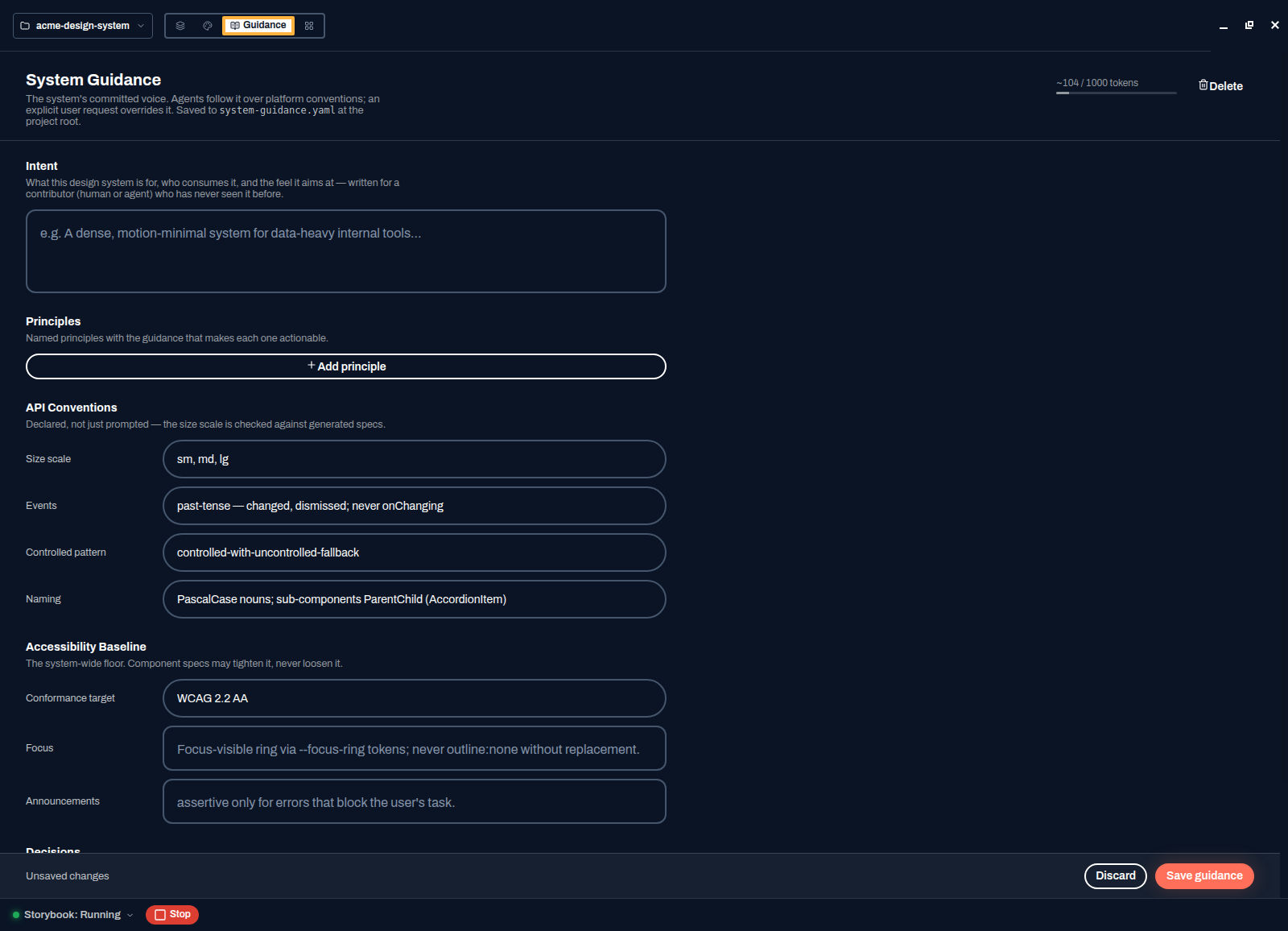
Guidance is the highest-leverage page in Spektral. Everything you write here is read by the agent before it generates anything, so the difference between a library that drifts and one that stays coherent is usually ten minutes spent on this screen.
Precedence
An explicit request you type beats guidance; guidance beats the built-in platform conventions. So you can always override in the moment without editing this page, and the agent still falls back to your rules rather than generic React habits the rest of the time.
Fill it in
- Open Guidance in the header
Third item in the page switcher.
- State the intent
What the system is for, who consumes it, and the feel you are after — written for a contributor who has never seen it before. "A dense, motion-minimal system for data-heavy internal tools" tells the agent more than three paragraphs of adjectives.
- Add principles
Named rules with the guidance that makes each one actionable. A principle nobody can act on is decoration; "Never rely on colour alone — every status also carries an icon or a label" is a rule the agent can apply and you can check.
- Declare your API conventions
Size scale (
sm, md, lg), event naming (past-tense —changed,dismissed; neveronChanging), the controlled pattern, and component naming. These are declared rather than merely prompted: the size scale is checked against generated specs, so a component that inventsxsgets caught. - Set the accessibility baseline
A conformance target such as WCAG 2.2 AA, focus behaviour, and how announcements are made. This is the floor: a component spec may tighten it and can never loosen it.
- Press Save guidance
A token counter in the top-right shows how much of the budget you are using — guidance is prepended to agent work, so it needs to stay tight. The next component you generate follows the new rules.